Best Google Business Profile Categories for Local Businesses: The Complete 2026 Guide
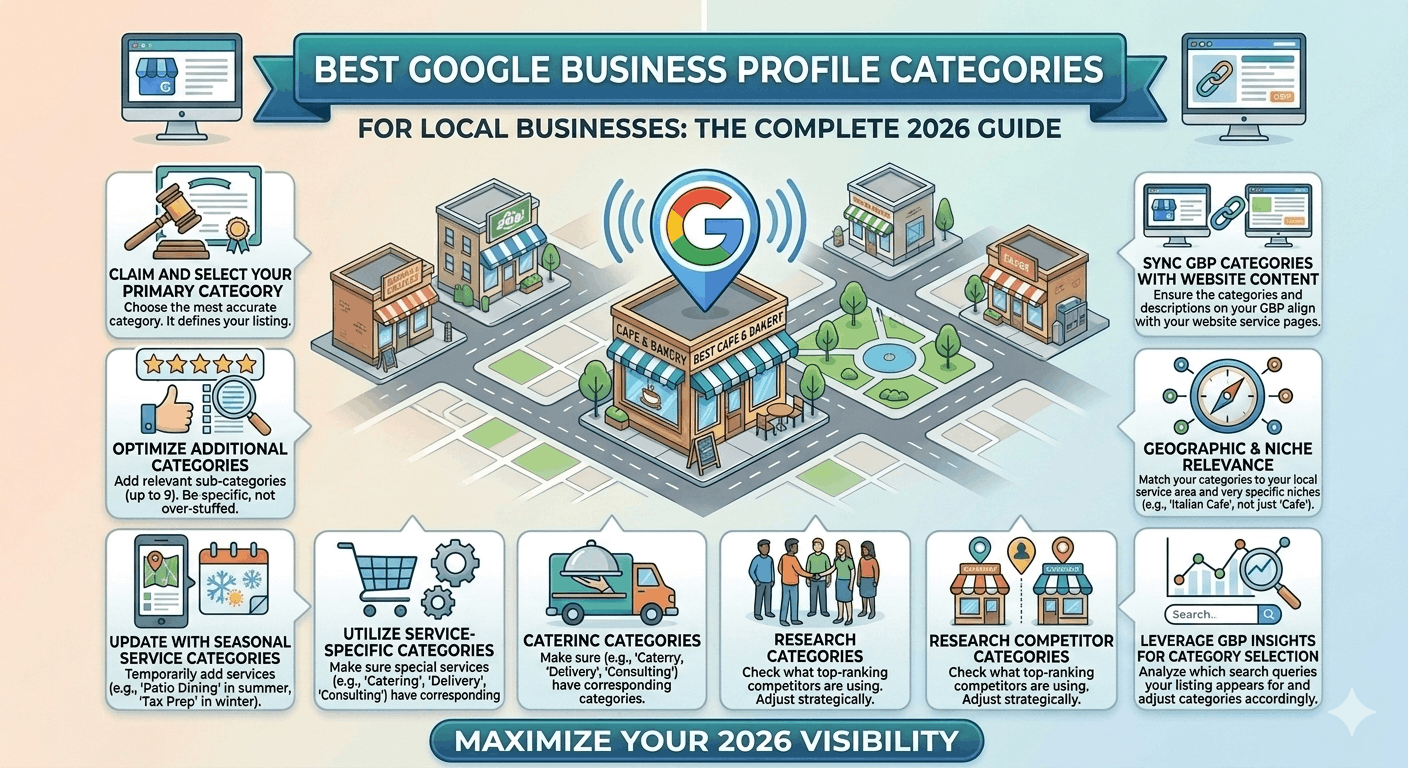

⚠️ Disclaimer: Google regularly adds, removes, renames and reorganises GBP categories. Always verify the current category list using PlePer or GMB Everywhere before making changes. The categories listed in this article were accurate at time of writing but may have changed.
Your Google Business Profile primary category is the single most powerful relevance signal in Google’s local ranking algorithm. Choose the wrong one and you can optimize every other element of your profile perfectly — reviews, photos, posts, description — and still fail to appear for the searches that matter most. Google uses your primary category to determine which queries your business is eligible to rank for, which attributes become available, and how your listing is displayed in Maps and Search.
With over 4,000 categories available in GBP and Google constantly adding, removing and renaming them, selecting the right category is harder than it looks — and the stakes are high.
In this guide you will learn exactly how GBP categories work, how to choose the best primary and secondary categories for your business type, industry-specific recommendations across 12 sectors, and a testing framework to measure the ranking impact of category changes.
Quick Answer: How Do GBP Categories Affect Rankings?
Google Business Profile categories directly control which search queries your listing is eligible to appear for. Your primary category is the #1 relevance signal — it tells Google what type of business you are, which attributes and features become available to you, and which queries to match your profile against. Secondary categories expand that surface area to cover related services. The most common category mistake is choosing a broad parent category (e.g. ‘Contractor’) when a specific child category exists (e.g. ‘Electrician’) — the specific category always outperforms the broad one for high-intent searches.
| Category Type | Role in Rankings | Max Allowed |
| Primary Category | #1 relevance signal — determines which searches trigger your listing | 1 only — choose with extreme care |
| Secondary Categories | Expand your query surface area for related services | Up to 9 additional |
| Services (different) | More granular than categories — describe what you specifically offer | Unlimited (up to 167 chars each) |
| Attributes (different) | Specific qualities (Wi-Fi, parking, wheelchair access) | Available set determined by primary category |
What Are Google Business Profile Categories?
GBP categories are a standardised taxonomy of business types that Google maintains. They are not freeform text fields — you must choose from Google’s predefined list of approximately 4,000 options (the exact number changes as Google updates the list).
Google uses your selected categories to:
- Determine which search queries your profile should be matched against
- Decide which attributes are relevant and available for your profile type
- Generate automated descriptions and features in your GBP listing
- Feed into Google Maps filter options (‘restaurants’, ‘pharmacies’, ‘dentists near me’)
- Inform AI search tools about your entity type for local recommendations
Categories vs Services vs Keywords:
Categories define what type of business you are. Services describe what you specifically offer within that business type. Keywords are what you use in your description and service copy. These are three separate optimization levers — changing your category does not change your services, and adding keywords to your description does not substitute for correct category selection.
💡 Key insight: Categories determine eligibility. You can have perfect reviews, photos and descriptions — but if your category doesn’t match the search query, Google will not show your listing at all.
Primary vs Secondary GBP Categories
Primary category — your highest-stakes decision:
Your primary category carries more weight than all secondary categories combined. It should reflect your single most important revenue-generating service — the thing most customers come to you for. If you are a dental practice that also offers cosmetic procedures, your primary category is ‘Dentist’, not ‘Cosmetic Dentist’, because the volume of patients searching ‘dentist near me’ dwarfs those searching ‘cosmetic dentist near me’.
Secondary categories — strategic expansion:
You can add up to 9 secondary categories. Use them to capture related service queries without diluting your primary relevance signal. Each secondary category you add increases the number of searches your profile is eligible to appear for — but choosing irrelevant secondaries can confuse Google’s categorization of your business.
Common primary category mistakes:
- Choosing the parent category when a specific child category exists — e.g. ‘Health’ instead of ‘Dentist’
- Choosing a category based on what you want to be known for rather than what most customers search — aspirational vs actual
- Choosing a different primary category than your top-ranking competitors — always benchmark first
- Changing your primary category frequently — each change resets some of Google’s accumulated category confidence signals
📍 Example: A physiotherapy practice that also sells sports equipment should list ‘Physiotherapist’ as primary (highest search volume, highest revenue) and ‘Sporting Goods Store’ or ‘Sports Equipment Rental Service’ as secondary — not the reverse.
How to Choose the Best GBP Categories: 5-Step Framework
📋 Step 1: Identify Your Core Service
Answer this question: ‘What would 80% of our customers say they came to us for?’ That answer is your primary category. Avoid internal naming conventions — think like a customer searching on Google, not like your operations team.
📋 Step 2: Analyse Top Competitors
Search for your primary service + location (e.g. ‘accountant Brisbane’) in Google Maps. Open the top 3–5 ranked profiles and note their primary and secondary categories. Install the GMB Everywhere Chrome extension to see competitor categories instantly overlaid on Maps results. The most common category among top-ranked competitors is almost always the correct primary choice.
📋 Step 3: Review Google’s Available Categories
Use the PlePer Category Tool (pleper.com/tools/category) to browse all available GBP categories for your industry. Search for your core service term and review all closely related options. Note whether specific subcategories exist that are more precise than the general term you had in mind.
📋 Step 4: Match User Search Intent
Cross-reference your shortlisted categories against the actual search queries your customers use. Google Search Console and Semrush’s local keyword data can show you the exact terms driving impressions and clicks in your area. Your primary category should align with your highest-volume, highest-intent local keywords.
📋 Step 5: Select Supporting Secondary Categories
Add secondary categories for: related services you genuinely offer, seasonal or specialist services, and complementary business types that customers might search when looking for your core service. Add only categories that accurately describe real services you provide — irrelevant secondaries can backfire.
✅ After selecting categories, update them and wait 2–4 weeks before evaluating ranking changes. Use Local Falcon to run before/after geo-grid comparisons. Make one category change at a time so you can attribute any ranking movement accurately.
Best GBP Categories by Industry
Use this reference table as a starting point — always verify against the current category list and your local competitor profiles:
| Industry | Primary Category | Recommended Secondary Categories | Common Mistake |
| Restaurant | Restaurant (or specific cuisine type e.g. Italian Restaurant) | Takeout Restaurant, Delivery Restaurant, Bar, Café | Choosing ‘Restaurant’ when ‘Italian Restaurant’ is available and accurate |
| General Healthcare | Medical Clinic | Doctor, General Practitioner, Family Practice Physician, Walk-in Clinic | Choosing ‘Health’ (too broad) instead of ‘Medical Clinic’ |
| Dentist | Dentist | Cosmetic Dentist, Emergency Dental Service, Teeth Whitening Service, Orthodontist | Using ‘Dental Clinic’ instead of ‘Dentist’ — loses specificity |
| Real Estate Agent | Real Estate Agency | Real Estate Consultant, Property Management Company, Commercial Real Estate Agency | Choosing ‘Property’ (not a valid category) or listing agent as the business |
| Lawyer / Law Firm | Law Firm | Divorce Lawyer, Criminal Justice Attorney, Personal Injury Attorney, Corporate Law Firm | Choosing ‘Legal Services’ instead of the specific practice area |
| Plumber | Plumber | Drainage Service, Hot Water System Supplier, Gas Installation Service | ‘Home Services’ — too broad; loses all specific query relevance |
| Electrician | Electrician | Electrical Installation Service, Lighting Contractor, Solar Energy Contractor | ‘Contractor’ — entirely too broad; misses every ‘electrician’ search |
| Retail Store | Clothing Store (or specific type) | Women’s Clothing Store, Fashion Accessories Store, Outlet Store | ‘Shopping’ or ‘Retail’ — massively too broad |
| Auto Mechanic | Auto Repair Shop | Tire Shop, Car Inspection Station, Auto Parts Store, Oil Change Service | ‘Automotive’ (parent category, not a Maps category) |
| Hotel | Hotel | Boutique Hotel, Resort, Bed & Breakfast, Holiday Apartment | Choosing ‘Accommodation’ instead of the specific property type |
| Financial Planner | Financial Planner | Investment Service, Financial Consultant, Retirement Planning Service, Insurance Agency | ‘Financial Services’ (too broad) or ‘Bank’ (incorrect type) |
| Mortgage Broker | Mortgage Broker | Loan Agency, Financial Planner, Real Estate Agency | ‘Finance Company’ — too broad; misses high-intent mortgage searches |
⚠️ Category names change. Always confirm the exact spelling of any category using PlePer or the GBP interface itself before selecting — ‘Attorney’ and ‘Lawyer’ may both exist as separate categories, and choosing the wrong term can miss significant search volume in your market.
Service-Area Business (SAB) Category Strategy
For businesses that serve customers at their location rather than a fixed office — trades, cleaning, landscaping, pest control — category selection interacts directly with your service area definitions. Here is the recommended approach:
| SAB Type | Best Primary Category | Strong Secondary Categories | Service Area Tip |
| Plumber | Plumber | Drainage Service, Hot Water System Supplier, Gas Fitting Service | Define areas by suburb — avoid entire states/regions |
| Electrician | Electrician | Electrical Installation Service, Solar Energy Contractor, Smart Home Installer | Define postcode clusters matching your team’s actual coverage |
| Roofer | Roofing Contractor | Gutter Cleaning Service, Roof Repair Service, Skylight Contractor | Suburb + regional grouping works well for roofing coverage patterns |
| HVAC | HVAC Contractor | Air Conditioning Contractor, Heating Contractor, Refrigeration Service | Split into cooling + heating secondary categories to capture seasonal queries |
| Landscaper | Landscaper | Lawn Care Service, Garden Designer, Tree Service, Irrigation Contractor | Large suburban coverage typical — define by council area or postcode range |
| Cleaner | Cleaning Service | House Cleaning Service, Commercial Cleaning Service, Carpet Cleaning Service | High competition — secondary categories provide critical differentiation |
For SABs, the combination of a specific primary category + relevant secondary categories + properly defined service areas creates the strongest possible local relevance signal. A ‘Plumber’ with service areas defined across 15 suburbs will consistently outrank a ‘Home Services’ provider covering the same area with a vague category.
Multi-Location Category Strategy
Consistency across locations:
For chain businesses, franchise networks and multi-location brands, the primary category must be identical across all locations of the same business type. Inconsistent primary categories across your network create relevance confusion in Google’s local knowledge graph — some locations will rank for different queries than others, fragmenting your network’s overall search presence.
Local variations (legitimate):
Secondary categories can legitimately vary between locations if specific services differ. A café that has a full bar licence at one location can add ‘Bar’ as a secondary category for that site only. A dental practice with an orthodontist on-site at one location can add ‘Orthodontist’ as secondary for that profile.
Franchise considerations:
Franchisors should define the approved primary and secondary category list centrally and communicate it to all franchisees. Include category guidance in your GBP onboarding documentation for new franchisees. Unauthorized category changes by individual franchisees can suppress network-wide rankings.
Common GBP Category Mistakes
- Choosing broad parent categories instead of specific child categories — ‘Contractor’ instead of ‘Plumber’ or ‘Electrician’.
- Using irrelevant secondary categories to ‘catch more searches’ — Google penalizes category stuffing by reducing relevance confidence in your legitimate categories.
- Copying competitors without verifying their categories are actually performing well — a competitor in position 4 is not necessarily using the optimal category.
- Choosing a category based on industry jargon customers don’t use in searches — use consumer language, not trade language.
- Ignoring Google’s category updates — if your category has been renamed or replaced, your profile may have been auto-migrated to a less specific option.
- Using the same primary category for fundamentally different business types — a law firm with both personal injury and corporate clients may need separate GBP profiles with different primaries rather than one shared profile.
- Changing categories too frequently — constant category changes reset Google’s accumulated category confidence and can temporarily suppress rankings.
How to Test and Optimize Your GBP Categories
Category optimization is not a one-time decision. As your services evolve, competitors change and Google updates its category list, periodic testing and review is necessary. Use this framework:
| Test Phase | Action | What to Measure |
| Baseline (Week 1) | Run Local Falcon geo-grid for all target keywords before any category change | Record rank for each keyword across the grid |
| Change (Week 2) | Update primary or secondary category — make only one change at a time | Log the date and exact change made |
| Monitor (Weeks 3–5) | Wait 3–4 weeks for rankings to stabilise after the category change | Check GBP Insights for search query changes |
| Measure (Week 6) | Run Local Falcon again and compare to baseline | Net rank change per keyword; new keywords appearing |
| Decide (Week 7) | Positive change = keep. No change or negative = revert or try next category | Document all results in a category testing log |
Seasonal adjustments:
Some businesses benefit from category changes around seasonal peaks. An HVAC company might test adding ‘Heating Contractor’ as a secondary category in March ahead of the winter cooling season. A garden centre might add ‘Christmas Tree Farm’ in October. Make seasonal additions in advance of the season and revert them after — but only do this for categories that genuinely describe your seasonal service.
✅ Keep a category testing log in a simple spreadsheet: date of change, previous categories, new categories, baseline ranking, post-change ranking, and observations. This data becomes invaluable over time and helps you make evidence-based category decisions.
How GBP Categories Affect AEO and AI Search Visibility
In 2026, AI-powered search tools increasingly use GBP category data to power local business recommendations. Here is how your category selection affects visibility in these new search surfaces:
Entity relevance:
Your GBP category is one of the primary signals Google uses to classify your business as a local entity. A correctly categorized entity with a consistent category signal across GBP, website schema and third-party citations ranks higher in both traditional Maps results and AI-generated local recommendations.
Google AI Overviews and Gemini:
When Google’s AI generates a response to a conversational local query (‘best Italian restaurant in Sydney for a business lunch’), it pulls entity data including categories, reviews, photos and website content. A business with ‘Italian Restaurant’ as its primary category has a significantly stronger match for that query than one using ‘Restaurant’.
Conversational search:
Queries like ‘who is the best tax accountant near me for small businesses?’ are increasingly common in voice search and AI interfaces. Your primary category (‘Tax Advisor’ or ‘Accountant’) is the first filter these systems apply — if it doesn’t match the query intent, your business will not be considered regardless of other profile strength.
ChatGPT and Perplexity:
These AI tools pull local business data from Google Maps and Yelp, both of which use category classifications. A business correctly categorized in Google Maps is more likely to have accurate category data reflected in these AI-generated recommendations.
💡 Key insight: Category selection in 2026 is not just about traditional Maps ranking — it is the first filter every AI search tool applies when determining which local businesses to recommend. Specificity always beats generality in AI-generated recommendations.
Tools for GBP Category Research
| Tool | Primary Use for Category Research | Cost |
| PlePer Category Tool | Most comprehensive browsable category list — search and filter all ~4,000 GBP categories | Free |
| GMB Everywhere | Chrome extension — reveals competitor GBP categories directly from Maps search results | Free / Paid |
| BrightLocal | Track ranking changes after category updates; citation and local rank reporting | From $39/mo |
| Local Falcon | Geo-grid rank tracker — measure Maps position changes before/after category changes | From $24/mo |
| Semrush Local | Competitor category analysis, listing management, local keyword tracking | From $50/mo |
| Google Maps (manual) | Search your target keywords and view competitor GBP profiles to reverse-engineer categories | Free |
✅ Best free workflow: Use PlePer to browse the full category list and identify options. Use GMB Everywhere to see what your top-ranked competitors are using in real time. Use Local Falcon before and after any category change to measure ranking impact.
GBP Category Audit Checklist
- ☑ Confirm your primary category is the most specific available option that accurately describes your core business
- ☑ Check that your primary category matches the most common category used by the top 3 ranked competitors for your target keyword
- ☑ Verify the exact category spelling using PlePer or the GBP interface — not from memory or third-party articles
- ☑ Review your secondary categories — are all 9 slots used? Are all selected categories genuinely relevant?
- ☑ Remove any secondary categories that do not accurately describe an actual service you offer
- ☑ Check Google’s category list for any new options that better describe your business than your current selection
- ☑ For multi-location businesses: confirm primary category is identical across all locations of the same type
- ☑ Run a Local Falcon geo-grid to establish your current ranking baseline before making any changes
- ☑ After any category change, wait 3–4 weeks before evaluating ranking impact
- ☑ Schedule a category audit every 6 months to check for Google category updates affecting your selections
Real-World Category Optimization Examples
The following examples are based on common category optimization patterns:
| Business | Original Category | Optimized Category Setup | Result |
| Sydney Thai restaurant | Restaurant | Thai Restaurant (primary) + Takeout Restaurant + Delivery Restaurant + Asian Restaurant | +41% impression growth in 6 weeks; ranked for ‘Thai restaurant near me’ within 28 days |
| Melbourne law firm (family law focus) | Law Firm | Divorce Lawyer (primary) + Family Law Attorney + Child Custody Attorney + Law Firm | Calls from Google Maps increased 67% in 90 days; dominated ‘family lawyer Melbourne’ 3-Pack |
| Brisbane HVAC company | Air Conditioning Contractor | HVAC Contractor (primary) + Air Conditioning Contractor + Heating Contractor + Refrigeration Service | Captured both summer cooling and winter heating search cycles; 38% more direction requests |
| Perth mortgage broker | Financial Services | Mortgage Broker (primary) + Loan Agency + Financial Planner | Ranked in top 3 for ‘mortgage broker Perth’ within 45 days — previously not ranking at all |
The pattern across all four examples is consistent: moving from a broad or incorrect category to the most specific, accurate option — combined with relevant secondary categories — produced measurable ranking improvements within 30–90 days.
Frequently Asked Questions About GBP Categories
1. How many categories can I add to my Google Business Profile?
You can select one primary category and up to 9 secondary categories, for a maximum of 10 categories total. You do not need to fill all 9 secondary slots — only add categories that accurately describe real services you offer.
2. Can I change my GBP primary category?
Yes. You can update your primary category at any time in the GBP dashboard under ‘Business information > Business category’. Be aware that significant changes can temporarily affect your rankings while Google recalibrates your listing. Avoid changing your primary category more than once every 60–90 days without a strong evidence-based reason.
3. Does changing my GBP category affect my reviews or other profile data?
No. Changing your category does not affect your reviews, photos, posts or other profile data. It only changes which search queries your profile is eligible to rank for and which attributes are available to you.
4. What is the difference between a GBP category and a service?
Categories define what type of business you are within Google’s taxonomy — they are predefined options. Services describe the specific offerings within that business type — they allow more granular, customizable descriptions. Both matter for local SEO but they serve different functions. Categories control query eligibility; services add depth to your profile’s relevance.
5. Can I add a category that my competitors are not using?
Yes — and sometimes this is a smart strategy if you offer a genuine service your competitors do not. However, only add categories that accurately describe real services you provide. Adding categories solely to capture search volume without actually offering those services violates GBP guidelines.
6. Why can’t I find the category I need in Google Business Profile?
Google’s category list has approximately 4,000 options, but it does not cover every possible business type. If no category perfectly describes your business, choose the closest available option. Use the PlePer tool to browse all available categories before concluding that your specific type isn’t listed — it may exist under a different name.
7. Do GBP categories affect which attributes are available?
Yes — significantly. Many attributes are only available for specific category types. For example, ‘Women-led’, ‘LGBTQ+ friendly’, outdoor seating, and service accessibility attributes are only visible for businesses in categories where those attributes are relevant. Changing your primary category can unlock new attributes that improve your profile completeness and click-through rate.
8. Should I use the same categories as my top-ranked competitors?
Using the same primary category as top-ranked competitors is a strong starting point, because it confirms category viability for your query. However, differentiate in secondary categories by selecting options that reflect your specific service specialisations — this can help you rank for queries where competitors have gaps.
9. How often does Google update its GBP category list?
Google updates the category list regularly — several times per year — adding new categories, merging redundant ones, and occasionally removing obsolete options. Set a reminder to audit your categories every 6 months using PlePer or GMB Everywhere to ensure your selections still reflect the most current and specific available options.
10. Can choosing the wrong category get my GBP suspended?
A wrong category alone is unlikely to cause suspension. However, choosing a category that misrepresents your business type (e.g. selecting ‘Hospital’ when you operate a small clinic) can be flagged as misleading by Google or reported by users, potentially triggering a quality review. Always choose categories that accurately reflect your business.
Conclusion: Get Your Category Right First, Then Optimize Everything Else
Every other GBP optimization — reviews, photos, posts, descriptions, backlinks — builds on the foundation of your category selection. If your category is wrong, those optimizations rank you better for the wrong queries. If your category is right, they amplify your visibility for the queries that actually drive revenue.
Key takeaways:
- Your primary category is the #1 relevance signal in Google’s local ranking algorithm — treat it with corresponding importance.
- Always choose the most specific available category, not the broadest one that technically applies.
- Benchmark your category choice against the top 3 ranked competitors for your target keyword before committing.
- Use up to 9 secondary categories for related services — but only for services you genuinely offer.
- Test category changes one at a time using Local Falcon geo-grids and wait 3–4 weeks to measure impact.
- Audit your categories every 6 months — Google regularly updates the available category list.
- In AI search, category accuracy determines whether your business is even considered as a candidate — specificity wins.