Google Local Guide Program: Points, Levels and Benefits
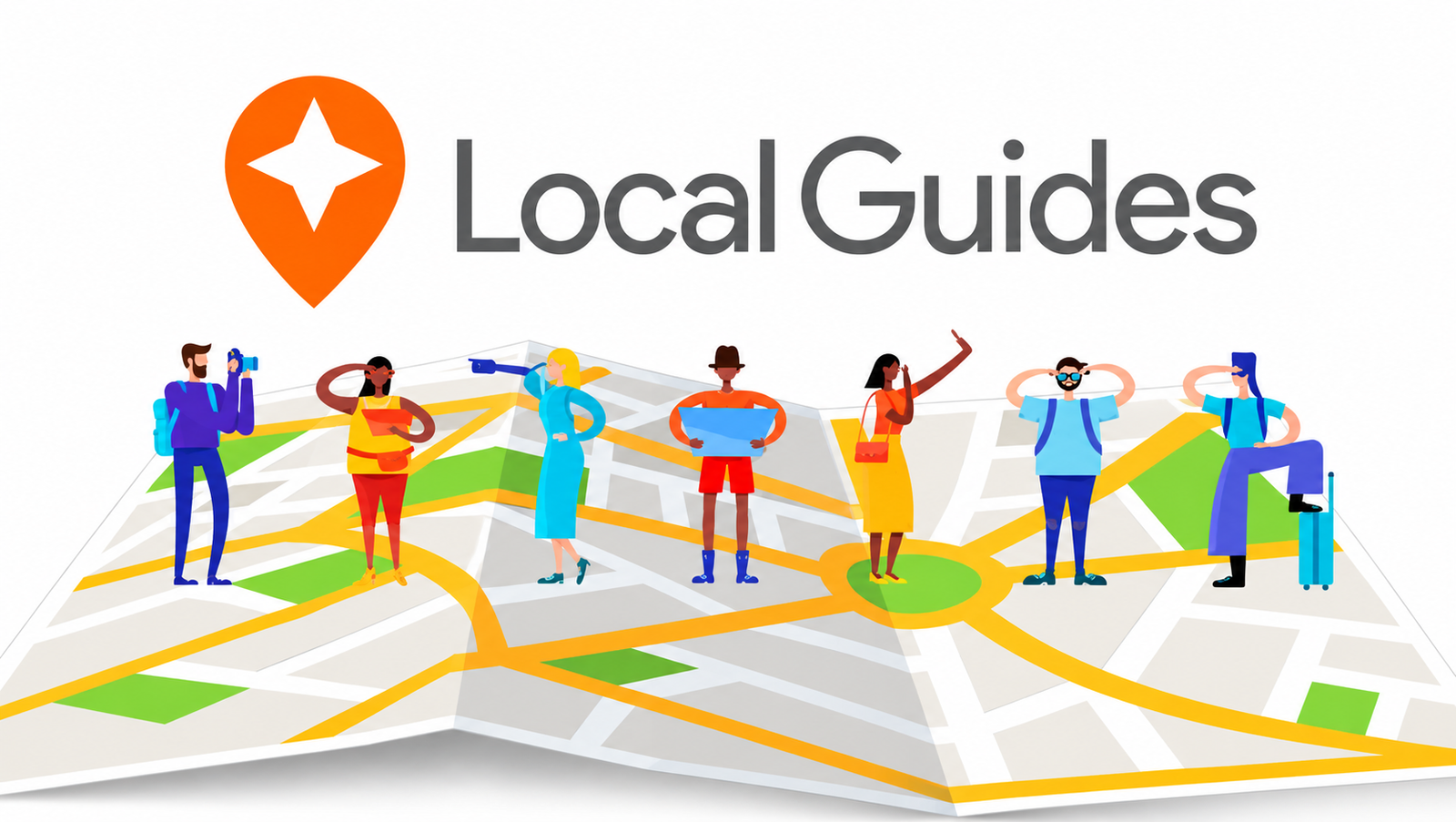

The Google Local Guide Program is Google’s global community of people who share reviews, photos, videos, answers, place edits and other information on Google Maps. Eligible contributions earn points, and points move members through ten levels. At Level 4, which needs 250 points, a Local Guides badge appears on your contributions. The program is for individuals, not businesses, and it is not paid employment.
This guide covers how the program works, how to join, the current points and levels, what benefits Google actually confirms, whether Local Guides get paid, and what the program means for local businesses and their reviews.
What is the Google Local Guide Program?
The Local Guide Program is a way for everyday Google Maps users to improve the map and get recognized for it. Google describes Local Guides as a global community of explorers who write reviews, share photos, answer questions, add or edit places and check facts on Google Maps, and says millions of people rely on those contributions to decide where to go.
The difference between being a Local Guide and simply using Google Maps is contribution. Anyone can search and navigate. Local Guides add what they know: whether a cafe has step-free access, what the dish tasted like, or that a shop moved last month.
Two points are worth being clear about:
- Local Guides are independent contributors. Google’s terms say you must not represent yourself as a Google employee or a representative of Google or its products.
- Quality matters more than volume. Google says contributions must be based on real experiences and information, and that it checks Local Guides contributions for policy compliance.
How does the Google Local Guide Program work?
You contribute to Google Maps while signed in to a Google Account, and Google awards points for eligible contributions. Those points decide your level.
- Sign in to a Google Account that meets the age requirements for your country.
- Open Google Maps or visit the official Local Guides website, where the “Get started” button takes you into Google Maps.
- Check the current rules. Read the program terms and conditions and the community guidelines.
- Contribute genuinely. Rate and review places you have visited, add photos and videos, answer questions, suggest edits, add missing places or check facts.
- Earn points. Google awards points per contribution (see the table below), and points can take up to 24 hours to show.
- Check your progress in your Maps profile, covered in the next section.
How to join the Google Local Guide Program
The official starting point is maps.google.com/localguides. Select Get started, sign in with your Google Account and begin contributing. Google’s page says that tapping Contribute in the Google Maps app is how to get started.
Do you need a separate sign-up?
Google’s current terms say Maps users who have a valid Google Account and meet the age requirements for their country are considered Local Guides and receive points and levels. Some older guides describe a “Join Local Guides” menu option. Google’s current pages do not describe one, so do not rely on a specific menu name. Interface labels can differ by device and country.
Who is eligible
- Individuals only. Google says contributions from businesses or business pages do not count toward Local Guides levels or benefits, and business accounts cannot share contributions as a Local Guide.
- Age requirements apply. Google says you must meet the age requirements for your country, and that it can take up to 9 weeks after you turn 18 for your Google Account to update.
- Some accounts may not receive points or levels, including Google Workspace for Education accounts for users under 18, organizations, brands, businesses and accounts banned for policy violations.
- One account only. Contributions count toward a single Google Account and cannot be combined or transferred between accounts.
Where to find your activity and level
On Android, Google says to open the Google Maps app, tap Contribute, then View your profile, where your level and total points appear. It may take up to 24 hours to update. Steps for iPhone and computer are on Google’s points, levels and badging page, which has a version for each platform. You can also view your contributions at google.com/maps/contrib.
If you cannot join or do not see a level
Check that the account meets the age rules, is not an education account for under-18s or a business account, is not restricted for policy violations, and that you are signed in to the account you used for your contributions. Then wait up to 24 hours after your first contributions.
How to earn Google Local Guide points
You earn points by contributing ratings, reviews, photos, videos, answers, place edits, new places, road information and fact checks to Google Maps. A detailed written review is the single most valuable everyday contribution, because it can earn a bonus. The values below come from Google’s points, levels and badging page, checked on 11 October 2026.
| Contribution type | What it involves | Points earned |
| Review | Describing your experience at a place | 10 points per review |
| Review with more than 200 characters | A longer, more detailed written review | 10 bonus points per review |
| Rating | Scoring a place | 1 point per rating |
| Photo | Adding a photo of a place | 5 points per photo |
| Photo tags | Tagging a photo | 3 points per tag |
| Video | Adding a video of a place | 7 points per video |
| Caption (in a photo update) | Adding a caption to a photo update | 10 points per caption |
| Answer | Answering a quick question about a place | 1 point per answer |
| Respond to Q&As | Responding to questions about a place | 3 points per response |
| Edit | Suggesting a correction to place information | 5 points per edit |
| Place added | Adding a missing place | 15 points per place added |
| Road added | Adding a missing road | 15 points per road added |
| Fact checked | Verifying information about a place | 1 point per fact checked |
| Reported incorrect | Reporting an item as incorrect | 1 point per item reported incorrect |
Google warns that points, levels and badge qualifications are subject to change, so treat this table as a snapshot and re-check it on Google’s page.
What can stop a contribution from counting
- Policy violations. Contributions that violate Google’s content policy do not count toward your level, and points may be deducted if a contribution is later found to violate it.
- Private contributions. Reviews, edits or photos marked private by Google are visible only to you and do not count toward your level.
- Closed businesses removed from Maps. Points from contributions to permanently closed businesses that have been removed from Maps do not count.
- Moderation and review. Google reviews edits before they appear, and not every submission is published.
A worked example
A review of 250 characters with two photos earns 10 points for the review, 10 bonus points for passing 200 characters and 10 points for two photos, which is 30 points based on Google’s table. That assumes every item is accepted and published. Short, copy-and-paste reviews earn less, and duplicated content can get you removed from the program, so quality is also the faster route.
Google Local Guide levels and points system
There are ten levels, and each level starts at a fixed point total.
| Level | Points required | Confirmed recognition |
| Level 1 | 0 | None listed on Google’s page |
| Level 2 | 15 | None listed |
| Level 3 | 75 | None listed |
| Level 4 | 250 | First Local Guides badge, shown on your contributions |
| Level 5 | 500 | Badge (Level 4 and above) |
| Level 6 | 1,500 | Badge |
| Level 7 | 5,000 | Badge |
| Level 8 | 15,000 | Badge |
| Level 9 | 50,000 | Badge |
| Level 10 | 100,000 | Badge |
Google states that the badge shown on a user’s contributions means they reached Level 4 with at least 250 points. Google’s page does not list a separate perk for each individual level. It says points lead to higher levels and to benefits such as early access to Google features and invitations to special events, so do not promise a specific reward at a specific level.
How progression works
- Points add up automatically as eligible contributions are published.
- Updates are not instant. Google says points and levels can take up to 24 hours to update.
- Points do not expire, according to Google, although they may decrease if content is removed for violating policy.
- Staying active matters. Google says to remain an active contributor to be eligible for rewards and early access to new features.
- Quality beats volume. Contributions that break the rules do not count and can put your status at risk.
How to check your level
On Android, open Google Maps, tap Contribute, then View your profile. Google lists separate instructions for iPhone and computer, so use the official page for your device. If you reach a new level, Google may send a level-up email. If you cannot find it, check your spam folder or search for noreply-local-guides@google.com.
Google Local Guide Program benefits and rewards
The benefits Google confirms are recognition, a badge from Level 4, access to the Local Guides community, and, for active contributors, early access to some Google features and possible event invitations. Most are conditional, and Google can change them without notice. This table separates what is confirmed from what is occasional.
| Benefit | Status | What Google says |
| Points and levels | General feature | Contributions earn points that lead to higher levels |
| Local Guides badge | General feature from Level 4 | The badge appears on your contributions at Level 4 or above and helps them get noticed |
| Early access to Google features | Conditional | Offered as a benefit of higher levels, and Google says to remain an active contributor to be eligible |
| Invitations to special events | Occasional | Some Local Guides may receive invitations, and event rules can change at any time without notice |
| Local Guides Connect forum | General feature | An online community where you can connect with other Local Guides |
| Newsletters and updates | Opt-in | You can sign up to hear about priority feature access, events and how your contributions help others |
| Meet-ups | Community-run | Google has help pages for joining and organizing meet-ups, and says it is not responsible for organizing or funding meet-ups you arrange yourself |
| Being featured by Google | Occasional | Google may choose, at its sole discretion, to feature you and your content in other channels |
Perks that are not confirmed
Some older articles, including the competitor page we reviewed, mention discounts on Google products, thank-you gifts and extra Google Drive storage. Google’s current Local Guides pages do not list any of these. Do not promise them to readers. Google also says some participants may be ineligible for some or all perks, including residents of US embargoed countries and certain government officials, and that perks and early access rules can change without advance notice.
Do Google Local Guides get paid?
No. Google’s Local Guides pages describe recognition, levels, badges and perks, not payment, and ordinary reviews and contributions are not a source of income.
Participation is voluntary and is not employment with Google. Nothing on Google’s program pages or terms describes a salary, a fee per review or a way to exchange points for cash. Google’s terms also say you may not bundle services for hire with your Local Guide membership, and they prohibit fake, falsified or misleading reviews, edits or removals.
That last rule is the real reason not to chase rewards. A review written for points or for a payment is not a genuine experience, and Google removes such content, can deduct points and can restrict a contributor’s access. If someone offers to pay you for reviews, or you are tempted to pay for them as a business, the contribution is likely to violate Google’s policies. Write honestly about places you actually visited.
How Google Local Guides help local businesses
Local Guides help businesses indirectly, by giving people better information to decide with. Google’s Local Guides site says contributors help people “find what they need” by sharing honest reviews, photos that show the vibe of a place, and updates to facts such as open status, hours, phone numbers and website links. For a business, accurate contributions can help customers understand:
- Location and accessibility: where the place is, how to get in, whether there is parking
- Customer experience: what people actually liked or disliked, in their own words
- Atmosphere: photos and videos that show the space, products and food
- Opening hours and details: corrections when hours, phone numbers or websites change
- Services and useful information: answers to questions other customers also have
That user-generated content shapes perception, for better or worse. A detailed, positive review builds confidence, and a detailed complaint can put customers off, but a measured owner reply to either shows how you handle feedback.
Four roles that are often confused
| Role | What it is | What it can do |
| Local Guide | An individual contributor on Google Maps | Reviews, photos, edits, answers and new places, for points and levels |
| Customer leaving a review | Anyone who visited and wants to share an experience | Posts a genuine review, whether or not they are a Local Guide |
| Business owner or manager | The verified manager of a Business Profile | Manages business information and replies to reviews |
| The business itself | An organization, brand or business account | Cannot participate as a Local Guide, and its contributions do not count toward levels or benefits |
What businesses must not do
Google states that soliciting Local Guides is strictly prohibited. Businesses cannot control Local Guides, buy favorable contributions or offer incentives for reviews, and Google’s terms prohibit fake, falsified or misleading reviews. What a business can do is serve every customer well, keep its profile accurate, make it easy for genuine customers to leave feedback (Google offers a review link and QR code for this) and reply to reviews professionally.
Google Local Guides vs Google Business Profile
They are different tools for different people, and neither replaces the other.
| Google Local Guides | Google Business Profile | |
| Main purpose | Lets individuals contribute to Google Maps and get recognized | Lets eligible businesses manage how they appear on Search and Maps |
| Who participates | Individual Google Account holders | Verified business owners and managers |
| Typical activities | Reviews, photos, edits, answers, adding places, fact checks | Editing business info, replying to reviews, adding photos and services |
| Manages a business listing? | No | Yes, after verification |
| Relationship to Google Maps | Contributes information to places | Controls the business’s own profile information |
| Role in local visibility | Contributes content that helps people judge a business | Provides accurate information and the owner’s voice |
Joining Local Guides does not give you control over a listing and does not improve a business’s visibility. If you want to manage your business on Google, the tool for that is Google Business Profile.
Do Google Local Guides affect local SEO and Google Maps rankings?
Google’s documentation does not say that Local Guide status is a ranking factor. Genuine reviews, photos and accurate information can help customers trust a business, and Google says reviews and ratings contribute to a business’s prominence, but a reviewer’s Local Guide level is not described as a ranking input.
Google says local results are mainly based on relevance, distance and prominence, and that there is no way to request or pay for a better local ranking. Prominence includes how well-known a business is, based on information such as links from other websites and review count, and Google says more reviews and positive ratings can help.
Some third-party articles, including the competitor page we reviewed, say Local Guide reviews tend to appear at the top of a listing or may help a business rank higher. Google’s documentation does not confirm either claim, so treat them as unproven. The safe conclusions are:
- Customer trust is real. Detailed, honest reviews help people choose.
- Rankings are separate. Do not assume that more Local Guide reviews, or a higher reviewer level, produce higher rankings.
- Your work stays the same. Complete your Business Profile, keep information accurate, earn genuine reviews, reply to them and build real local prominence.
Google Local Guide Program rules and common mistakes
Contributions must reflect real experiences. That is the core rule in Google’s community guidelines, and most problems come from breaking it. Read the current guidelines and Google’s user-generated content policy before you contribute, because Google says policies can change.
Common mistakes to avoid:
- Vague or generic reviews. Google asks for notable details about the setting, vibe and your “highs and lows,” not one-word comments like “good.”
- Duplicating reviews or photos across locations. Google says this can get you removed from the program.
- Dark, blurry or repeated photos, which Google says will be removed, and copied or stolen images.
- Fake or unnecessary edits, off-topic answers, defamatory language and personal attacks.
- Ignoring privacy. Avoid identifiable images of people in sensitive places such as schools and hospitals, and ask permission where appropriate.
- Creating extra accounts to get around a restriction. Google prohibits it.
- Misusing the brand. Do not use the Local Guides logo or “Google” in account names or handles without approval.
For businesses, the equivalent mistakes are buying reviews, offering incentives for them, soliciting Local Guides, or pressuring customers to write specific wording. Contributions can also be moderated, so published content is not guaranteed to stay published.
Common Google Local Guide Program problems
Google’s Fix Local Guides issues page and points page are the official starting points. Here is what they confirm, and what to try.
Points not updating
Google says points and levels can take up to 24 hours to update, and that your profile may take up to 24 hours to refresh. Wait a day, confirm you are signed in to the right account, and check that the contribution was actually published. Points from contributions that violate policy, are marked private, or relate to businesses removed from Maps do not count.
Reviews or photos not appearing
Google reviews contributions for policy compliance and reviews edits before they go live. Check your contributions in your Maps profile and compare them with the content policy, and look for problems such as duplicates, blurry photos or irrelevant content. Google does not promise that every contribution will be published.
Contributions being removed
Content that breaks Google’s policies can be removed, and points can be deducted. Review the content policy, correct how you contribute and do not repost removed content. If you believe the removal was a mistake, use the help links in the content policy.
Difficulty accessing the program, a missing badge or a missing level
The badge needs Level 4 and at least 250 points. If your badge disappears or you cannot sign in to Local Guides Connect, Google says your account may have had its feature access restricted. Google also says it cannot always warn you before restricting access, even if it was unintentional.
If you think the restriction was a mistake, Google’s process is to wait at least 10 days after the restriction, complete the appeal form, then wait up to 3 weeks for a response. Google adds that in most cases it cannot share details about the restriction. Do not create another account.
Eligibility and account issues
Check the age requirement, whether the account is an education account for under-18s, a business account or a restricted account, and remember that points belong to one Google Account and cannot be merged or moved. If you changed your email preferences, Google says it can take up to 7 days to take effect.
Frequently asked questions about the Local Guide Program
1. What is the Google Local Guide Program?
It is Google’s global community of individuals who contribute reviews, photos, videos, answers, edits and new places to Google Maps. Contributions earn points, which determine your level from 1 to 10.
2. Is the Google Local Guide Program free?
Google’s program pages describe no fee. You need a valid Google Account that meets the age requirements for your country.
3. How do I join Google Local Guides?
Visit the official Local Guides site, select Get started, and contribute through Google Maps. Google’s terms say eligible Maps users with a valid Google Account are considered Local Guides.
4. Do Google Local Guides get paid?
No. Google describes recognition, levels, badges and perks, not payment, and Google’s terms prohibit fake or misleading reviews.
5. How do Google Local Guide points work?
Each eligible contribution earns a set number of points, for example 10 per review, 5 per photo and 15 per place added. Points can take up to 24 hours to update and may decrease if content violates policy.
6. What are the Google Local Guide levels?
There are ten levels, starting at 0 points for Level 1 and reaching 100,000 points for Level 10. Level 4 needs 250 points and unlocks the first badge.
7. How do I check my Local Guide level?
On Android, open Google Maps, tap Contribute, then View your profile. Google lists steps for iPhone and computer on its points and levels page.
8. What benefits do Google Local Guides receive?
Confirmed benefits include points and levels, a badge from Level 4, the Local Guides Connect community, and for active contributors, early access to some features and possible event invitations. Google can change these.
9. How can I earn more Google Maps points?
Contribute accurate, original content: detailed reviews over 200 characters earn a bonus, and photos, videos, edits and missing places all add points. Duplicated or low-quality content can cost you points or your status.
10. Why are my Local Guide points not updating?
Google says updates can take up to 24 hours. Points may also not count if the contribution violates policy, is marked private or relates to a business removed from Maps.
11. Can a business owner join the Local Guide Program?
No, not as a business. The program is for individuals, and contributions from business accounts do not count. Business owners should use Google Business Profile to manage their listing.
12. Does being a Local Guide improve Google Maps rankings?
Google does not say so. Its documentation describes local ranking as relevance, distance and prominence, and notes there is no way to request or pay for a better ranking.
13. Can Google remove Local Guide reviews?
Yes. Reviews and other contributions that violate Google’s policies can be removed, points can be deducted, and feature access can be restricted.
14. How do Local Guides contribute to local businesses?
They share reviews, photos and updated facts that help customers understand a business. Businesses cannot solicit or buy those contributions.
15. Where can I find official Google Local Guides help?
Use Google’s Local Guides help pages, the official Local Guides site and the Local Guides Connect community.
Conclusion
The Google Local Guide Program lets individuals contribute to Google Maps, earn points across ten levels and get a badge at Level 4. You do not need to chase rewards. Google confirms recognition, a community and conditional perks, not pay, and it expects contributions to be honest and original.
If you run a business, the useful lesson is different. You cannot recruit or control Local Guides, but you can make sure customers find accurate information and have a good experience worth writing about. Complete your profile, reply to reviews and build genuine local prominence. If you would like help with that, LocalChampion’s Google Business Profile optimization service supports local SEO, profile management and review monitoring. LocalChampion is independent of Google and has no connection to the Local Guides program.