Why Your Business Is Not Showing on Google Maps (And How to Fix It)
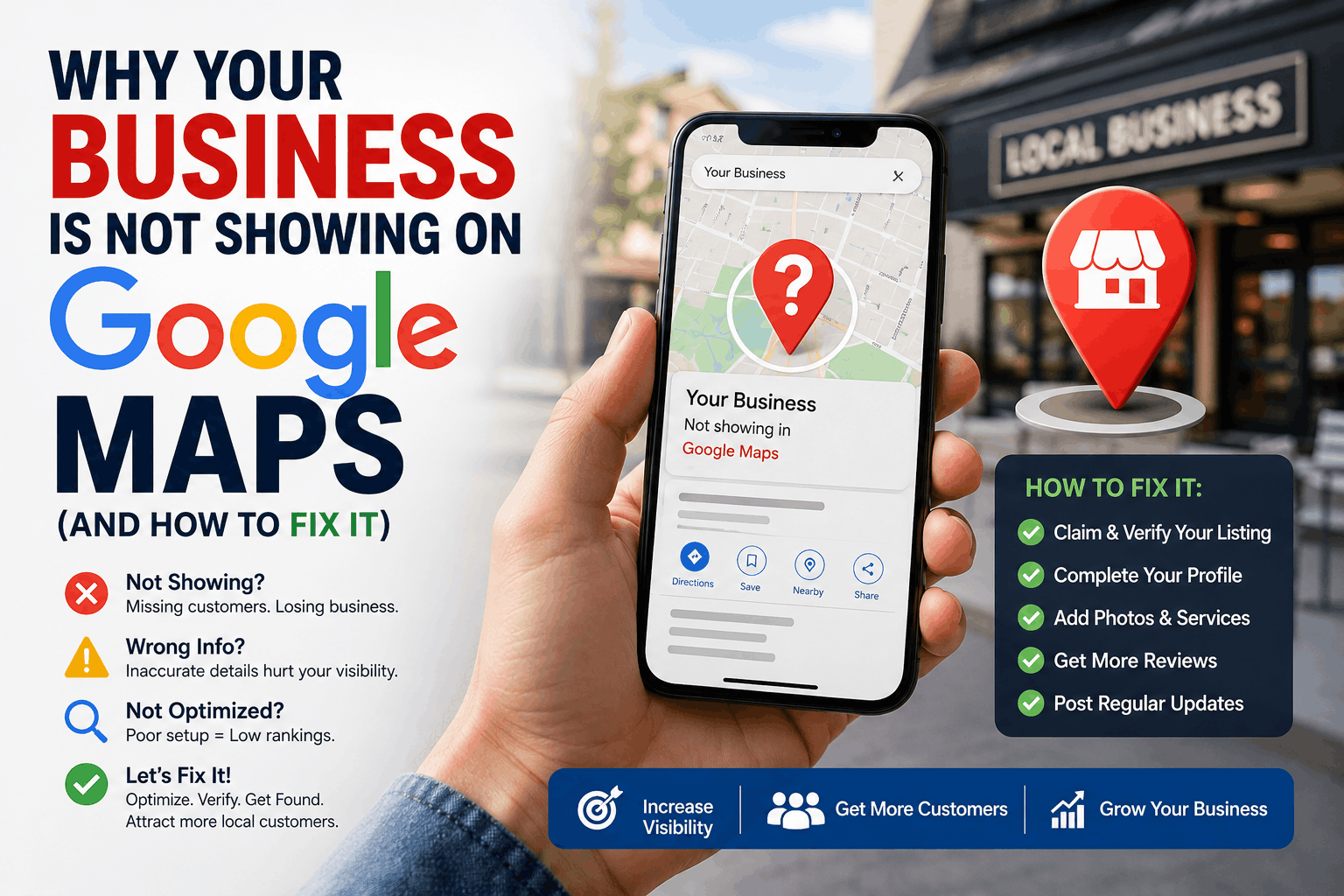

If your business is not showing on Google Maps, you are probably losing calls, website visits, walk-ins, and local leads every single day.
For many small businesses, Google Maps is the primary source of local visibility. Customers search phrases like:
- “restaurants near me”
- “best dentist in Bangalore”
- “plumber open now”
- “laptop repair nearby”
If your Google Business Profile is missing, buried, suspended, or invisible, potential customers are finding your competitors instead.
The good news?
Most Google Maps visibility problems are fixable.
In this complete guide, you will learn:
- Why your business is not appearing on Google Maps
- Common Google Business Profile mistakes
- How to fix Google Maps ranking issues
- Advanced local SEO strategies
- How long recovery usually takes
- Proven optimization tactics used by local SEO agencies
Quick Answer: Why Is My Business Not Showing on Google Maps?
The most common reasons a business is not showing on Google Maps include:
- Google Business Profile not verified
- Suspended or disabled listing
- Wrong business category
- Duplicate business listings
- Hidden business address
- NAP inconsistency
- Weak local SEO signals
- Google penalties or spam filters
- Low review activity
- Poor website optimization
- Newly created profile not indexed yet
Fixing these issues usually restores visibility within a few days to several weeks depending on the severity of the problem.
What Is Google Maps Ranking?
Google Maps ranking determines where your business appears in:
- Google Maps
- Local Pack results
- “Near me” searches
- Mobile location searches
Google primarily uses three local ranking factors:
| Ranking Factor | Meaning |
| Relevance | How well your business matches the search |
| Distance | How close your business is to the searcher |
| Prominence | How trusted and authoritative your business appears |
If one or more of these signals are weak, your business may disappear from local results.
1. Your Google Business Profile Is Not Verified
Why This Happens
Google requires verification before displaying a business publicly.
If verification is incomplete:
- Your profile may not appear
- Edits may stay pending
- Visibility becomes limited
Common Signs
- Profile says “Verification Required”
- Listing visible only to owner
- Business missing in search
How to Fix It
- Open your Google Business Profile dashboard
- Complete video, phone, postcard, or email verification
- Wait for Google approval
- Check listing visibility again
Pro Tip
Video verification is now one of the most common methods for local businesses.
Make sure:
- Your storefront is visible
- Street signage matches profile name
- Business equipment or workspace is shown
2. Your Google Business Profile Was Suspended
A suspended profile is one of the biggest reasons businesses disappear from Google Maps.
Types of Suspensions
| Suspension Type | Meaning |
| Soft Suspension | Listing exists but management access removed |
| Hard Suspension | Listing removed entirely from Maps |
Common Suspension Reasons
- Keyword stuffing in business name
- Fake addresses
- Virtual office abuse
- Multiple duplicate profiles
- Policy violations
- Service-area manipulation
How to Fix Suspended Listings
Step 1: Audit Your Profile
Check:
- Business name
- Address
- Categories
- Website URL
- Phone number
Step 2: Remove Violations
Avoid:
- Extra keywords
- Fake locations
- Tracking phone numbers
- Misleading content
Step 3: Submit Reinstatement Request
Provide:
- Utility bills
- Business license
- Storefront photos
- Tax registration documents
3. Your Listing Is Too New
New Google Business Profiles often take time to appear.
Typical Indexing Timeline
| Action | Expected Time |
| Profile creation | Instant |
| Verification | 1–7 days |
| Initial indexing | 3–14 days |
| Strong visibility | 1–3 months |
What You Should Do
- Complete every profile section
- Add photos immediately
- Publish updates
- Get initial reviews
- Build local citations
4. You Selected the Wrong Business Category
Your primary category is one of the strongest local SEO signals.
Choosing the wrong category can severely reduce visibility.
Example
A business selecting:
- “Consultant”
instead of:
- “Digital Marketing Agency”
may fail to appear for relevant searches.
How to Fix Categories
Choose:
- One highly accurate primary category
- Relevant secondary categories
Avoid:
- Irrelevant categories
- Broad categories
- Category stuffing
5. Hidden Address or Service Area Issues
Many businesses accidentally hide important location signals.
Common Mistakes
- Hiding address unnecessarily
- Using oversized service areas
- Incorrect map pin placement
Best Practice
Storefront Businesses
Show physical address publicly.
Service-Area Businesses
Hide address only if customers do not visit.
6. Duplicate Listings Are Hurting Visibility
Duplicate profiles confuse Google.
This often causes:
- Ranking drops
- Review splitting
- Visibility suppression
How to Find Duplicates
Search:
- Business name
- Old phone numbers
- Previous addresses
How to Fix
- Request duplicate removal
- Merge listings where possible
- Keep only one authoritative profile
7. NAP Inconsistency Across the Web
NAP stands for:
- Name
- Address
- Phone number
Google compares your business information across:
- Website
- Directories
- Social profiles
- Citations
Inconsistent information reduces trust.
Example Problem
| Platform | Phone Number |
| Website | 9999999999 |
| 8888888888 | |
| Yelp | 7777777777 |
Google may distrust the business data.
Fix
Keep NAP identical everywhere.
8. Keyword Stuffing in Business Name
Adding keywords unnaturally violates Google guidelines.
Bad Example
“ABC Plumbing Best Emergency Plumber Bangalore 24/7”
Correct Example
“ABC Plumbing”
Keyword stuffing often triggers:
- Suspensions
- Ranking suppression
- Spam filtering
9. Your Local SEO Authority Is Weak
Even verified businesses may not rank well.
Why?
Because competitors have stronger authority signals.
Important Authority Signals
- Reviews
- Citations
- Backlinks
- Website SEO
- Local mentions
- User engagement
How to Improve Authority
Build Citations
List your business on:
- Yelp
- Bing Places
- Apple Maps
- Justdial
- Sulekha
- Industry directories
Earn Local Backlinks
Get mentions from:
- Local newspapers
- Chambers of commerce
- Local bloggers
- Partner businesses
10. Weak Proximity Signals
Distance still matters heavily in Google Maps SEO.
A business far from the searcher may struggle to rank.
Example
A café in Whitefield may not rank well for:
- “cafe near Koramangala”
even if the business is highly optimized.
How to Improve
- Create location-specific service pages
- Build relevance in target areas
- Earn local backlinks nearby
11. Google Spam Filters or Penalties
Google aggressively removes suspicious listings.
Common Spam Triggers
- Fake reviews
- Shared office locations
- Lead-generation listings
- Excessive keyword edits
- Rapid business information changes
Recovery Tips
- Avoid frequent major edits
- Maintain consistent information
- Use legitimate business documentation
12. Your Website SEO Is Weak
Your website strongly influences Maps visibility.
Website Problems Affecting Rankings
- Slow loading speed
- No local keywords
- Missing schema markup
- Poor mobile experience
- Thin content
- No service pages
Local SEO Essentials
Add:
- City keywords
- Service pages
- Embedded Google Map
- LocalBusiness schema
- Click-to-call buttons
13. Poor Review Activity
Reviews directly impact:
- Trust
- Click-through rate
- Rankings
- Conversion rate
Businesses With Weak Reviews Often Have:
- Few reviews
- Old reviews
- Low ratings
- No responses
Review Strategy
Ask Customers Consistently
Use:
- SMS
- QR codes
- WhatsApp follow-ups
Respond to Every Review
Google values engagement.
14. Competitive Market Saturation
In highly competitive industries:
- Lawyers
- Dentists
- Realtors
- Restaurants
ranking becomes harder.
Signs of Heavy Competition
- Competitors have 500+ reviews
- Strong websites
- Extensive backlinks
- Active GBP optimization
What to Do
Focus on:
- Niche services
- Hyperlocal targeting
- Better content
- Stronger engagement
Step-by-Step Troubleshooting Checklist
Google Maps Visibility Checklist
Profile Setup
- Verify profile
- Use accurate business name
- Add correct categories
- Upload photos
- Add business hours
SEO Optimization
- Optimize website
- Add local keywords
- Create service pages
- Add schema markup
Trust Signals
- Build citations
- Earn reviews
- Get backlinks
- Maintain NAP consistency
Spam Prevention
- Avoid keyword stuffing
- Avoid fake reviews
- Avoid duplicate profiles
How Long Does It Take for a Business to Show on Google Maps?
The timeline depends on the issue.
| Situation | Typical Recovery Time |
| New profile | 3–14 days |
| Verification pending | 1–7 days |
| Minor optimization changes | 1–3 weeks |
| Suspension recovery | 2–8 weeks |
| Competitive ranking improvements | 2–6 months |
Advanced Google Maps SEO Tips
1. Build High-Quality Citations
Consistency across directories improves trust.
Important citation sources:
- Yelp
- Bing Places
- Apple Maps
- Industry-specific directories
2. Create Location-Specific Service Pages
Instead of one generic page:
- Create separate pages for each city or area
Example:
- /plumber-whitefield/
- /plumber-indiranagar/
3. Add Geo-Tagged Images
Geo-tagged images help reinforce location relevance.
Upload:
- Storefront photos
- Team photos
- Service photos
- Before/after work
4. Improve Behavioral Signals
Google tracks:
- Click-through rates
- Calls
- Driving directions
- Website visits
Improve Engagement By:
- Using attractive photos
- Writing compelling business descriptions
- Publishing Google Posts regularly
5. Implement Schema Markup
Add LocalBusiness schema to:
- Homepage
- Contact page
- Location pages
Important fields:
- Business name
- Address
- Phone number
- Opening hours
- Reviews
Real-World Example
Example 1: Local Dental Clinic
Problem
Business not showing for:
- “dentist near me”
Issues Found
- Wrong category
- Few reviews
- Duplicate listing
Result After Fixes
- Visibility improved within 30 days
- Calls increased by 40%
Issue vs Fix Comparison Table
| Issue | Symptoms | Fix | Time to Recover |
| Not verified | Listing invisible | Complete verification | 1–7 days |
| Suspension | Listing removed | Reinstatement request | 2–8 weeks |
| Wrong category | Poor rankings | Update categories | 1–3 weeks |
| Duplicate listings | Visibility instability | Remove duplicates | 2–4 weeks |
| Weak reviews | Low trust | Build review strategy | Ongoing |
| Poor SEO | Low rankings | Optimize website | 1–3 months |
People Also Ask
Why is my business not appearing on Google Maps?
Usually due to verification issues, suspension, duplicate listings, weak SEO signals, or incorrect business information.
How do I get my business to appear on Google Maps?
Create and verify a Google Business Profile, optimize your profile fully, build citations, earn reviews, and improve your website SEO.
Frequently Asked Questions
1. Why is my Google Business Profile not visible?
The most common reasons include verification issues, suspensions, incorrect categories, and duplicate listings.
2. How long does Google Maps verification take?
Usually between 1 and 7 days depending on the verification method.
3. Can I rank without a physical address?
Yes, service-area businesses can rank without displaying a public address.
4. Does website SEO affect Google Maps rankings?
Yes. Strong local SEO improves Maps visibility significantly.
5. Can fake reviews hurt rankings?
Yes. Fake or spam reviews may trigger penalties or reduced visibility.
6. Why did my business disappear suddenly?
Sudden disappearance often indicates suspension, profile edits, spam filtering, or duplicate issues.
7. How many reviews do I need to rank?
There is no fixed number, but businesses with consistent, authentic reviews usually perform better.
8. Do Google Posts help rankings?
Indirectly, yes. They improve engagement and profile activity signals.
9. What is the most important Google Maps ranking factor?
Relevance, proximity, and prominence are the three core ranking factors.
10. Can I recover from a suspended Google Business Profile?
Yes, most legitimate businesses can recover after fixing violations and submitting reinstatement documents.